You’ve spent weeks creating amazing content. You hit the publish button. But then? Absolutely nothing. No ranking, no traffic, no impressions.
It’s the same thing as holding a birthday party without sending out invitations.
And that’s exactly how it feels when search engines fail to find your pages. Despite being very smart, Google is not all-knowing; it uses signals to help it locate new pages.
This is when sitemaps become necessary.
Now, if you ask yourself, what is a sitemap, you are asking one of the most relevant questions in technical SEO. In simple terms, a sitemap serves as a guide for search engines to help them better understand your website’s structure and pages.
Be it an e-commerce site that has 50,000 products or a SaaS application, a properly built XML sitemap will greatly improve crawling efficiency and increase indexing.
Let’s go through all the information that you should know about them.
What Is a Sitemap?
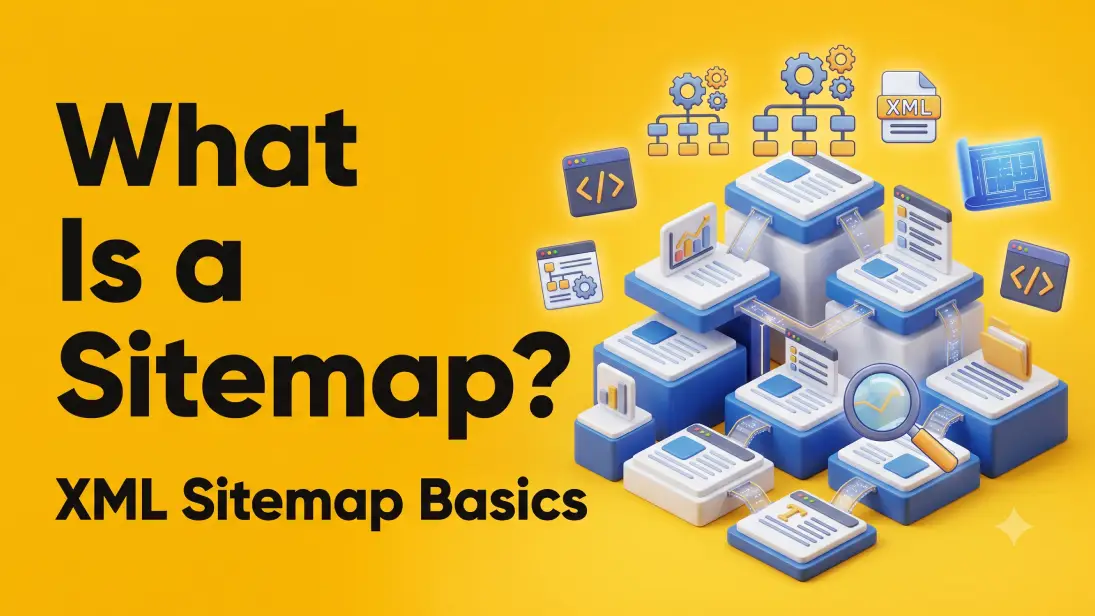
A sitemap is a structured file that lists the important URLs on your website and provides search engines with information about those pages.
Think of it as the master blueprint of your website.
Instead of forcing Googlebot to wander through every hallway searching for rooms, you hand it a floor plan.
A sitemap tells search engines:
- Which pages exist
- Which pages matter
- When pages were updated
- How pages relate to each other
- Which media files should be crawled
Its primary purpose is to improve website discovery and crawling.
What Is a Sitemap XML?
If you’re asking what is a sitemap XML, here’s the simple answer:
An XML sitemap is a machine-readable file written in XML (Extensible Markup Language) that search engines use to discover website URLs.
Unlike HTML pages designed for users, XML sitemaps are built specifically for crawlers.
A typical XML sitemap looks something like this:
<url>
<loc>https://example.com/blog/technical-seo</loc>
<lastmod>2026-06-15</lastmod>
<changefreq>weekly</changefreq>
<priority>0.8</priority>
</url>
Each URL entry can include:
- URL location
- Last modified date
- Update frequency
- Relative priority
Google mainly pays attention to:
- URL
- Last Modified
Priority and Change Frequency are mostly ignored today.
HTML Sitemap vs XML Sitemap
Many people confuse these two.
| HTML Sitemap | XML Sitemap |
| Built for users | Built for search engines |
| Helps website navigation | Helps crawling |
| Visible webpage | Hidden XML file |
| Improves UX | Improves SEO |
| Can be clicked | Read by bots |
The best websites often have both.
Why Sitemap Is Important for SEO
Let’s answer one of the biggest questions: Why sitemap is important for SEO? Because Google doesn’t automatically know every page on your website.
Especially when:
- Your website is new
- Internal linking is weak
- You have thousands of pages
- Content changes frequently
- Pages are buried deep
- JavaScript hides content
A sitemap helps search engines prioritize crawling and reduces the chance that valuable pages remain undiscovered.
Imagine managing an ecommerce store with 40,000 products.
Without a sitemap? Googlebot spends valuable crawl budget wandering through category pages.
With a sitemap? It gets a prioritized list of products immediately.
That means:
- Faster discovery
- Better crawl efficiency
- Faster indexing
Importance of Sitemap in SEO
The importance of sitemap in SEO goes beyond simply listing URLs.
It improves several technical SEO processes.
1. Better Crawl Efficiency
Search engines have limited crawl budgets.
Instead of crawling random pages, they crawl pages you’ve identified as important.
2. Faster Indexing
New content gets discovered sooner.
Especially useful for:
- News websites
- Ecommerce launches
- SaaS feature pages
- Seasonal campaigns
3. Better Discovery of Deep Pages
Pages four or five clicks away from the homepage often receive fewer crawls.
Sitemaps solve this issue.
4. Supports Large Websites
Enterprise websites often exceed:
- 100,000 URLs
- 1 million URLs
- Millions of product pages
Without sitemaps, crawling becomes inefficient.
5. Helps Google Understand Website Structure
A sitemap gives Google context about:
- Categories
- Landing pages
- Blogs
- Products
- Resources
How Do Search Engines Use Sitemaps?
Many believe Google indexes every page listed in a sitemap. Not true.
Instead, here’s how do search engines use sitemaps:
Step 1 – Google downloads your sitemap.
Step 2 – It compares listed URLs against its existing index.
Step 3 – New URLs are added to the crawl queue.
Step 4 – Updated pages receive higher crawl priority.
Step 5 – Google evaluates:
- Content quality
- Canonicals
- Internal links
- Duplicate content
- Robots directives
Step 6 – Only pages that meet Google’s quality standards enter the index.
Important:
A sitemap does not guarantee indexing. It simply improves discovery.
What Should Be Included in an XML Sitemap?
Not every page deserves a spot.
Include:
- Homepage
- Service pages
- Product pages
- Blog posts
- Category pages
- Important landing pages
- High-value resources
Avoid including:
- Login pages
- Cart pages
- Checkout pages
- Thank-you pages
- Duplicate URLs
- Redirects
- Noindex pages
- Filter URLs
- Internal search pages
Your sitemap should represent your website’s highest-quality indexable content.
Benefits of Sitemaps
Let’s look at the biggest benefits of sitemaps.
Faster Content Discovery – Google finds fresh pages more quickly.
Improved Crawl Budget – Bots spend less time crawling unnecessary pages.
Better Index Coverage – Important pages are less likely to be overlooked.
Supports Multimedia SEO – Image and video sitemaps improve visibility in specialized search results.
Simplifies Website Maintenance
SEO teams can monitor:
- Indexed pages
- Missing pages
- Crawl issues
- Coverage errors
Helps Large Dynamic Websites
Ideal for:
- Ecommerce
- News portals
- Job boards
- Marketplaces
- Real estate websites
Types of XML Sitemaps
Most websites only use one.
Enterprise websites use several.
Standard XML Sitemap
Lists website URLs.
Image Sitemap
Contains image URLs.
Useful for:
- Photographers
- Ecommerce
- Publishers
Video Sitemap
Helps Google understand video metadata.
Includes:
- Duration
- Thumbnail
- Description
- Publication date
News Sitemap
Required for Google News publishers. Supports rapid indexing of fresh articles.
Sitemap Index
Large websites split multiple sitemaps into one index file.
Example:
- sitemap.xml
- products.xml
- blogs.xml
- categories.xml
- images.xml
How to Create XML Sitemap
Now let’s answer how to create XML sitemap.
There are several methods.
Method 1: CMS Plugins
WordPress users can generate sitemaps automatically through SEO plugins.
No coding required.
Method 2: Ecommerce Platforms
Most modern ecommerce platforms automatically generate XML sitemaps.
Including:
- Shopify
- BigCommerce
- Wix
Method 3: Static Sitemap Generators
Ideal for custom-built websites.
These tools crawl your site and generate XML files automatically.
Method 4: Custom Development
Large enterprises often generate dynamic sitemaps using backend scripts.
Benefits include:
- Automatic updates
- Pagination support
- Product synchronization
- Real-time publishing
XML Sitemap Best Practices
Not every sitemap is SEO-friendly. Follow these best practices.
Include Only Canonical URLs
Avoid duplicate pages.
Remove Redirects
Never list:
- 301
- 302
- 404
- 410 URLs
Keep It Updated
Every new page should automatically appear.
Use Accurate Last Modified Dates
Don’t fake update timestamps. Google notices.
Limit File Size
Each sitemap supports:
- 50,000 URLs
- 50 MB uncompressed
Use sitemap indexes if needed.
Submit to Google Search Console
Once generated, submit your sitemap.
This helps Google discover updates faster.
Common Sitemap Mistakes That Hurt SEO
Even experienced SEO professionals make these errors.
Including Noindex Pages
Mixed signals confuse Google.
Listing Broken URLs
404 pages waste crawl budget.
Missing Canonicals
Duplicate URLs reduce crawl efficiency.
Outdated Sitemaps
Old URLs create crawl errors.
Forgetting New Pages
Recently published content never gets discovered.
Including Parameter URLs
Avoid:
- ?sort=
- ?color=
- ?session=
- ?utm=
These create duplicate content.
Does Every Website Need a Sitemap?
Technically, No. Practically, Almost always.
Google can crawl small websites through internal links alone.
However, sitemaps become extremely valuable when:
- Your site exceeds 100 pages
- You publish regularly
- You manage ecommerce inventory
- Pages update frequently
- Internal linking isn’t perfect
If you’re serious about SEO, there’s almost no downside to having one.
How to Check If Your Website Has a Sitemap
Try visiting:
yourdomain.com/sitemap.xml
Or:
yourdomain.com/sitemap_index.xml
You can also verify sitemap submission through Google Search Console.
A healthy sitemap should:
- Load correctly
- Include only indexable pages
- Update automatically
- Return a 200 HTTP status code
Sitemap vs Robots.txt: What’s the Difference?
Many website owners assume these files do the same thing. They don’t.
Think of robots.txt as the security guard and your XML sitemap as the guest list.
| XML Sitemap | Robots.txt |
| Suggests pages to crawl | Controls crawler access |
| Lists valuable URLs | Blocks or allows directories |
| Helps with page discovery | Helps manage crawl behavior |
| Supports indexing | Does not guarantee indexing or blocking |
A common misconception is that adding a page to your sitemap automatically means Google will index it.
In reality, Google still evaluates the page’s quality, canonical tags, crawl directives, and content uniqueness before indexing.
For the best technical SEO setup, use both files together:
Use robots.txt to prevent crawlers from wasting time on low-value areas like admin folders or internal search pages.
Use your XML sitemap to highlight the pages that deserve attention.
XML Sitemap Checklist Before You Hit Publish
Before submitting your sitemap, run through this quick checklist:
- Includes only indexable URLs
- Excludes noindex, redirected, and broken pages
- Uses canonical versions of every URL
- Automatically updates when new content is published
- Contains accurate <lastmod> dates
- Stays within the 50,000 URL and 50 MB limits (or uses sitemap indexes)
- Is referenced in your robots.txt file
- Has been submitted through Google Search Console
- Returns a valid XML format with no errors
Think of this checklist as a pre-flight inspection. A small technical mistake can reduce crawl efficiency across your entire website.
Final Thoughts
So, what is a sitemap?
It’s far more than a simple list of URLs. It’s one of the most important technical SEO assets for helping search engines discover, crawl, and prioritize your content efficiently.
While an XML sitemap won’t magically push your pages to the top of Google, it ensures that your best content doesn’t remain invisible because of crawl inefficiencies. Combined with strong internal linking, optimized site architecture, fast page speeds, and high-quality content, a well-maintained sitemap strengthens your overall SEO foundation.
Whether you’re running a local business website, a growing SaaS platform, or an enterprise ecommerce store with thousands of pages, investing a few minutes in creating and maintaining an accurate XML sitemap can save search engines hours of crawling, and help your content get discovered faster.
Remember: if Google can’t efficiently find your pages, it can’t rank them. A sitemap makes sure you’re not leaving your visibility to chance.